Calling this "hacking" is a bit of a stretch, but it's a fun bit of play with assembly and an Apple I — I was inspired by Jacek Łupina of Apple Museum Poland, during the opening of the exhibition at the Norblin Factory in Warsaw.
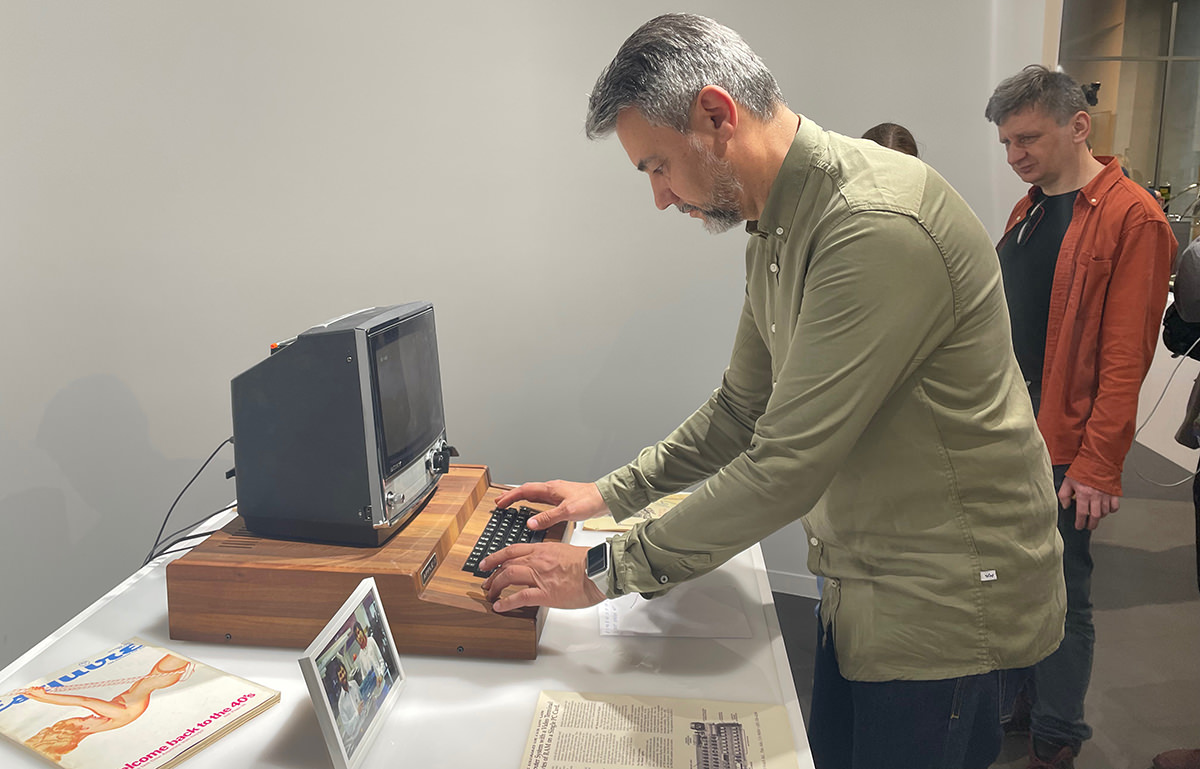
In the Apple I manual (all of a dozen-odd pages!) the manufacturer published this as a test procedure:
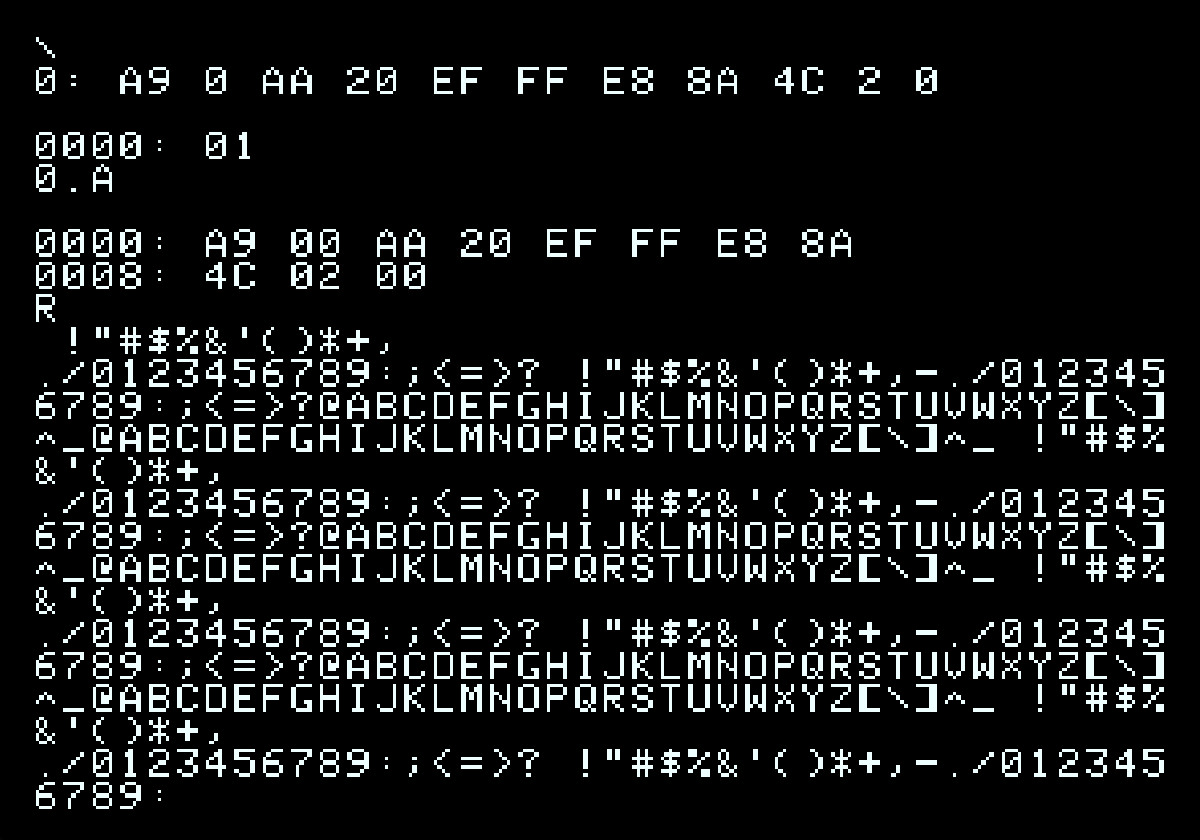
FIRST: Hit the RESET button to enter the system monitor. A backslash should be displayed, and the cursor should drop to the next line.

SECOND: Type — 0: A9 b 0 b AA b 20 b EF b FF b E8 b 8A b 4C b 2 b 0 (RET) (0 is a zero, NOT an alpha "0"; b means blank or space; and (RET) hit the "return" key on the keyboard)

THIRD: Type — 0 . A (RET) (This should print out, on the display, the program you have just entered.)

FOURTH: Type — R (RET) (R means run the program.) THE PROGRAM SHOULD THEN PRINT OUT ON THE DISPLAY A CONTINUOUS STREAM OF ASCII CHARACTERS. TO STOP THE PROGRAM AND RETURN TO THE SYSTEM MONITOR, HIT THE "RESET" BUTTON. TO RUN AGAIN, TYPE: R (RET).
Nice, but what's actually happening there? The Apple I manual is 12 pages, but we can work with that — everything's simple once you look closely. First, let's read carefully what's written and type in what's needed:
A9 0 AA 20 EF FF E8 8A 4C 2 0
Those are hexadecimal values. Hidden inside these 10 bytes is a tiny program.
The little program the Apple I's authors have us key in tests the keyboard, the character set in ROM, and RAM all at once. The keyboard, because we need it to type the thing in; ROM, because we're calling into it; RAM, because that's where we're writing the code and running it. Quickly decoded, those bytes hide this:
LDA #$00
loop: TAX
JSR $FFEF
INX
TXA
JMP loop
A quick translation of what each assembly mnemonic means:
LDA – Load Accumulator – load a value into the accumulator (A); in this case we're zeroing it out TAX – Transfer Accumulator to X – copy the contents of the accumulator (A) into register X JSR – Jump to Subroutine – jump to a routine in ROM; the good news is we can return from it INX – Increment X Register – add one to register X TXA – Transfer X to Accumulator – copy the contents of X back into the accumulator (A) JMP – JuMP – an unconditional jump, no return — in this case it's simply a loop
What's sitting at address $FFEF in the Apple I's ROM? The answer's right there on page 7 of the Apple I manual:
FFEF: BIT DSP   ; DA bit (B7) cleared yet?
FFF2: BMI ECHO  ; No, wait for display.
FFF4: STA DSP   ; Output character. Sets DA.
FFF7: RTS       ; Return.
$D012 is the address of a system variable (DSP) that maps onto a register/port of the PIA (6820). DSP DATA consists of the seven lower data bits plus a high bit that signals "display ready" (1 means "ready", 0 means "busy").
By the way — the Apple I exposes four ports:
$D010 — kbd — read key $D011 — kbdcr — control port $D012 — dsp — write ascii $D012 — dspcr — control port
Now, what's that ROM code actually doing:
BIT – performs a logical AND between a value and the accumulator register. The N and V flags reflect the result for bits 7 and 6; here we only care about bit 7 — "display ready." BMI – Branch on MInus – in this case, if bit 7 is set, we move on to the next instruction. STA – STore Accumulator – we write the accumulator's (A) value into the DSP register. That's the moment a character with that code value travels onto the screen. RTS – Return from Subroutine – and we go back to wherever we were called from (the main program).
So what does this little program, typed into the Apple I's monitor, actually do? It prints 64 characters from the Apple I's ROM to the screen, in a loop. Why not more? Because there isn't more, and there's no room left in an 8-bit register once the top bit is spoken for as a status flag — the Apple I's "screen memory" is a shift-register setup made of 1024 registers, and you can only access them by stepping through all 1024 cycles in order. It's a masterclass in cost-cutting: the Signetics 2504 chips each expose 6 lines (6 for bit inputs, 6 for bit outputs) plus two power lines (+/-5V) and two clock lines. How it works: every cycle shifts a marker through the register; there's no way to jump straight to a specific memory cell without letting the required number of clock cycles pass to shift the marker there.
A handful of useful things:
online 6502 disassembler online Apple I emulator Apple I emulator with source Apple I ROM dump with comments 6502 instruction set reference a really good article on shift-register memory
Apple Museum Poland, where you can see a working replica of the Apple I in a genuinely striking setting — it's well worth it, because it makes a much bigger impression than firing up an emulator. Typing ten hexadecimal numbers and running an assembly program on a computer from 1977 has to leave a mark 🙂
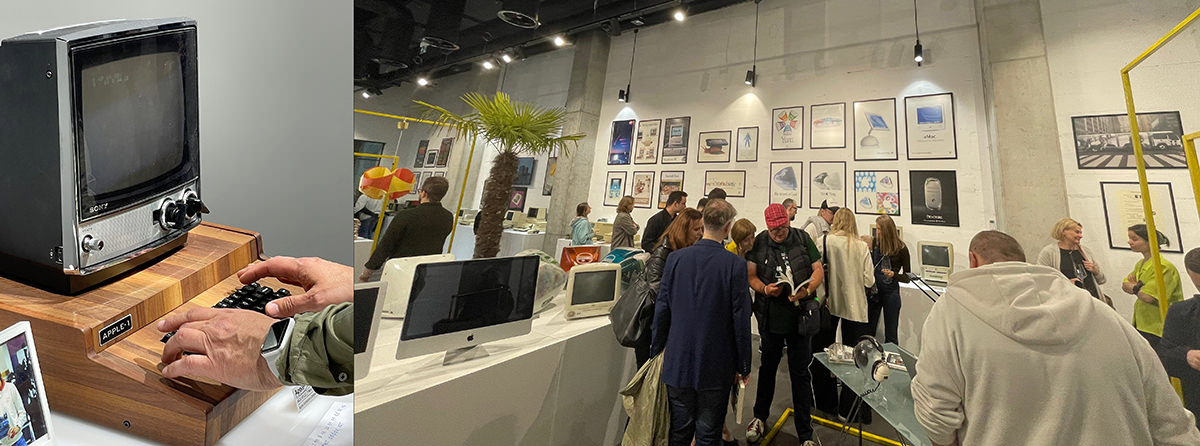
Apple Museum Poland is Jacek Łupina's enormous collection of Apple computers (and more), which I had the chance to see back at its first location too. Jacek and I had the pleasure of organizing two Retro Apple events together at Hackroom122. It's one of the most extensive collections in Europe, if not the world — well worth a visit, it's a genuine slice of this planet's computing history, design and UX revolution included.